Avon.....defapt Mitza....am acordu tau de ati cere admin?:D.....da si mie plz..:):hi:
28.07.2006
4.6KB
NOROC cu un Calsberg
28.07.2006
3.6KB
fa-ti un caracter southpark :rotfl:
flash tare
28.07.2006
26.3KB
Nu Intrati Cu Nickuri Ce Contin @#$%^&* . Acestea Nu Sunt Acceptate.
Nu spune...k si tu acuma faci k pe Golden :(( ....e naspa regula...dar dak tu vrei asa....se respecta :)
28.07.2006
6KB
Sexy Wonderland Tiktokporn Nudist Teen Amateur Girls asian
14.03.2022
34.8KB
Cam asa este... respect pentru oamenii destepti :)
28.07.2006
40.4KB
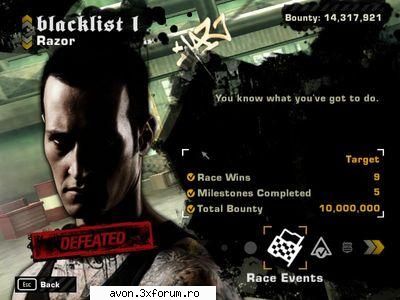
Pot sa spun ca m-am indragostit pur si simplu de jocul asta. este un joc foarte bun din toate punctele de vedere. Atat ca si gameplay, cat si ca grafica. Dupa parerea mea este cel mai bun joc din seria NFS si merita jucat cap coada. Eu nu m-am dezlipit de PC (decat cu mici pauze pt somn, mancare si prietena) si l-am terminat:
Va recomand din toata inima sa il jucati !
Numai bine si bafta !
04.10.2006
27.4KB
SPER SA VA PLACA SUNT NOU!!!:x:zzz::cool::finger:lol mai vb care vreti
11.09.2006
24.1KB
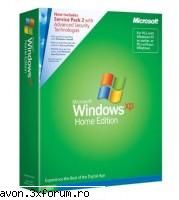
Windows XP Home Edition “OEM” w / SP2
With Windows XP Home Edition with Service Pack 2, you get safer browsing and communication, powerful security tools, and improved experiences. Packed with multimedia features, Windows XP Home Edition with Service Pack 2 aims to unlock the full potential of your personal computer. It also looks great, with rounded window corners, larger and more detailed icons, and a clean-look desktop.
The best thing about Windows XP is that, because it belongs to the Windows NT/2000 product family, it’s designed from the ground up for reliability, security, and networking. XP Home users will soon see the benefits of this. The dreaded Windows crash-and-reboot cycle really is much less common with XP, and, provided the hardware is up to scratch, XP’s performance is better, too. The downside is that using a different code base can make compatibility with old applications less assured. Business applications normally run fine, but older games, MIDI software, and system utilities may well cause problems.
Windows XP is more customizable than previous versions, including its visual themes that let you change the whole appearance of Windows in an instant. Fast User Switching is a neat feature for computers used by more than one person–it lets another user log on without killing the previous user’s session, and when you switch back, running applications and open documents are as you left them. This is impressive, but what really counts is that XP understands how to deal with multiple users. Each user has their own special folders, such as My Documents, which cannot be seen by other users. And for those with more than one computer, the network setup wizard simplifies setting up a network.
Windows XP Home has many strong multimedia features. New Media Player lets you copy music from CD to hard disk, create your own playlist, and write your own music CDs if you have a CD writer. You can also play back DVD-Video (but only if a hardware or software DVD decoder is already installed) and play MP3 audio files and MPEG videos (but sadly not the popular RealMedia formats). Admittedly, Media Player does nothing that you cannot also do with free alternatives, but it is slick and nicely integrated. There is also Windows Movie Maker, a basic tool for capturing and editing videos that’s fun to use, although too limited for serious work.
For Web browsing, XP Home comes with Internet Explorer 6.0 and MSN Explorer. The most significant new feature for Internet users is the built-in firewall. A firewall protects against one of the most disturbing security risks, in which other users unknown to you might connect to your computer while it is online, reading private files or causing other damage. XP’s built-in firewall is a simple affair, but it does prevent most types of unauthorized connections.
The XP user interface is not a radical departure from earlier versions of Windows, but there are a number of small changes that together add up to a significant improvement. For example, you can add and remove shortcuts from the Start menu by right-clicking on the icon and selecting Pin or Unpin from the pop-up menu. Windows online help is integrated into a Help and Support Center that works like an internal Web site, with searchable help, tutorials, and walkthroughs. Laptop or other flat-screen users can set Windows to use ClearType for screen fonts, for a more readable display.
There are, of course, some pitfalls. Windows XP Home is demanding on hardware, and it would be a mistake to install it on less than Microsoft’s recommended minimum. Business users note: unlike Windows 98 or Me, XP Home Edition cannot join a Windows server domain, so the networking is peer-to-peer only–see Windows XP Professional Edition for this functionality. There is also no multiprocessor support, and a mildly annoying anti-piracy measure requires you to obtain a code from Microsoft for full installation and any future system changes. But don’t let that put you off: this is Microsoft’s best Windows yet.
Windows XP Home makes it easy to use your Computer for those Personal projects you enjoy. Service Packs round up the bug fixes and product updates you need for operating more smoothly. This Service Pack bridges the gaps between the original software and user requests more fully, responding to customer wishes — and making XP even better. Share your home computing resources with simple-to-use Networking tools Service Pack features - Security Center offers a central control system for your Windows XP security — work with the firewalls, auto updates and antivirus tools Great news for people sick of pop-up ads - The built-in pop-up blocker controls them, with a new submenu and status bar icons New Add-Ons manager gives you instant access to all the Browser Helper Objects and extensions, enabling and disabling them easily Firewall now has its own control panel Enhancements to the Windows Update service make installing new updates easy Wireless Networking - Multiple wireless connections to choose from.
Links:
Code:
... .part1.rar
... .part2.rar
... .part3.rar
... .part4.rar
... .part5.rar
... .part6.rar
Keys:
Code:
D9F7Y-YPPGB-7GQ48-QCVDY-RRMYQ
FQWRY-YPKBX-43MR8-XH73J-FG2QQ
Activation Crack:
Code:
Install Notes:
*Burn the .ISO image.
*Install XP Home as you are normally used too.
*Use one of the provided keys if you dont have one.
*After installation, you will be propted to activate windows within 30 days.
*Download (If you havent already) the Activation Crack above, and extract its contents to where ever you like. Read the ReadMe file for information on how to install it. (Basically just run the .bat file)
*Enjoy XP Home Edition.
**For those of you that dont understand what kind of difference there is between Home OEM and Home Retail listen up. For the end user like yourself THERE IS NO DIFFERENCE! They are the same exact Operating System. If your a technician, or have some reason to know about software distribution, you would already know that “Retail” is what you buy in the store, and “OEM” is whats bundled with a purchased peice of hardware (in most cases its the computer itself). Both “versions” take different CD-Keys.